- Capitalize `Environment` in all outputs
- Fix stdin detection so there is no need for timeouts
- Dont throw if the error is bad user input, only throw for unexpected errors
- Fix tests so waiting for prompt will throw if expected output is never received
The latest `now env` subcommand no longer makes the distinction between build time and runtime environment variables so this PR updates `now dev` to no longer make the distinction either.
The only exception is that some builders such as `@now/next` might still rely on the separation so we must preserve the distinction for legacy builders.
This PR adds support for empty values when using `now env add|ls|rm|pull`.
This is necessary when using system environment variables such as `NOW_GITHUB_COMMIT_SHA` which will not receive a value from the user but will instead assign a value automatically during deployment.
Without this fix, Python app which uses [Pydantic](https://pydantic-docs.helpmanual.io/usage/postponed_annotations/) for data validation will crash with log like this:
```py
File "pydantic/main.py", line 175, in pydantic.main.ModelMetaclass.__new__
annotations = resolve_annotations(namespace.get('__annotations__', {}), namespace.get('__module__', None))
File "pydantic/typing.py", line 136, in pydantic.typing.resolve_annotations
annotations = resolve_annotations(namespace.get('__annotations__', {}), namespace.get('__module__', None))
File "pydantic/typing.py", line 136, in pydantic.typing.resolve_annotations
base_globals: Optional[Dict[str, Any]] = sys.modules[module_name].__dict__
KeyError: 'api.main'
```
The added code also follow Python official documentation: https://docs.python.org/3.6/library/importlib.html#importing-a-source-file-directly
This PR does a few things:
- Change `dev.unref()` when possible and use `testFixtureStdio` instead
- Replace `fetch()` with `fetchWithRetry()` when possible
- Remove commented-out tests
There was a bug preventing `continue: true` from working between (null => filesystem) phases.
This PR fixes that bug and adds a test to ensure users can rewrite to dynamic path segments.
This PR adds framework config for Ionic Angular and also updates a mistake found in the dev script of Ionic React, which mistakenly was using the same dev script as Stencil.
This PR adds a new command `now env` for managing environment variables for a given project. This will complement the changes in the Dashboard and will provide 3 possible environments: `production`, `preview`, and `development`.
- [x] Add `now env ls`
- [x] Add `now env add`
- [x] Add `now env rm`
- [x] Add `now env pull`
- [x] Add test for `now env ls`
- [x] Add test for `now env add`
- [x] Add test for `now env rm -y`
- [x] Add test for `now env pull -y`
- [x] Add test for `now env add FOO preview < secret.txt`
- [x] Add test deployment to verify env var is assigned to both build and runtime
- [x] Test on Windows
```
▲ now env [options] <command>
Commands:
ls [environment] List all variables for the specified environment
add [name] [environment] Add an environment variable (see examples below)
rm [name] [environment] Remove an environment variable (see examples below)
pull [filename] Read development environment from the cloud and write to a file [.env]
Options:
-h, --help Output usage information
-A FILE, --local-config=FILE Path to the local `now.json` file
-Q DIR, --global-config=DIR Path to the global `.now` directory
-d, --debug Debug mode [off]
-t TOKEN, --token=TOKEN Login token
Examples:
– Add a new variable to multiple environments
$ now env add <name>
$ now env add API_TOKEN
– Add a new variable for a specific environment
$ now env add <name> <production | preview | development>
$ now env add DB_CONNECTION production
– Add a new environment variable from stdin
$ cat <file> | now env add <name> <production | preview | development>
$ cat ~/.npmrc | now env add NPM_RC preview
$ now env add DB_PASS production < secret.txt
– Remove a variable from multiple environments
$ now env rm <name>
$ now env rm API_TOKEN
– Remove a variable from a specific environment
$ now env rm <name> <production | preview | development>
$ now env rm NPM_RC preview
```
Some inputs cause `compile()` to throw but its not clear which route caused it to fail.
> TypeError: Unexpected MODIFIER at 29, expected END [see source](https://sentry.io/organizations/zeithq/issues/1593291118/?project=1351065)
This PR adds logs so we can see the bad user input and correct accordingly.
Since enabling `CI` environment variable for cloud builds, this test fails because it is meant to emit a warning however that warning has turned into an error.
```
05:40:53.148 Treating warnings as errors because process.env.CI = true.
05:40:53.148 Most CI servers set it automatically.
05:40:53.148 Failed to compile.
05:40:53.149 ./src/App.js
05:40:53.149 Line 1: 'useState' is defined but never used no-unused-vars
05:40:53.172 error Command failed with exit code 1.
```
We can again treat lint errors as warnings by setting `CI=false`.
Example build output given a user's build script named `shouldfail.js`:
## Before
```
/zeit/4af70cdc/shouldfail.js:3
throw new Error('This is my failure')
^
Error: This is my failure
at Object.<anonymous> (/zeit/4af70cdc/shouldfail.js:3:7)
at Module._compile (internal/modules/cjs/loader.js:955:30)
at Object.Module._extensions..js (internal/modules/cjs/loader.js:991:10)
at Module.load (internal/modules/cjs/loader.js:811:32)
at Function.Module._load (internal/modules/cjs/loader.js:723:14)
at Function.Module.runMain (internal/modules/cjs/loader.js:1043:10)
at internal/main/run_main_module.js:17:11
error Command failed with exit code 1.
info Visit https://yarnpkg.com/en/docs/cli/run for documentation about this command.
Error: Exited with 1
at ChildProcess.<anonymous> (/zeit/687b1c64/.build-utils/node_modules/@now/build-utils/dist/index.js:31350:24)
at ChildProcess.emit (events.js:223:5)
at ChildProcess.EventEmitter.emit (domain.js:475:20)
at maybeClose (internal/child_process.js:1021:16)
at Process.ChildProcess._handle.onexit (internal/child_process.js:283:5)
worker exited with code 20 and signal null
Done with "package.json"
```
## After
```
/zeit/255bfdd/shouldfail.js:3
throw new Error('This is my failure')
^
Error: This is my failure
at Object.<anonymous> (/zeit/255bfdd/shouldfail.js:3:7)
at Module._compile (internal/modules/cjs/loader.js:955:30)
at Object.Module._extensions..js (internal/modules/cjs/loader.js:991:10)
at Module.load (internal/modules/cjs/loader.js:811:32)
at Function.Module._load (internal/modules/cjs/loader.js:723:14)
at Function.Module.runMain (internal/modules/cjs/loader.js:1043:10)
at internal/main/run_main_module.js:17:11
error Command failed with exit code 1.
info Visit https://yarnpkg.com/en/docs/cli/run for documentation about this command.
Error: Command "yarn run build" exited with 1
worker exited with code 20 and signal null
Done with "package.json"
```
The current error message prints a link that is not clickable from the terminal.
This PR adds the missing `https://` protocol prefix, so that the link is clickable.
This fixes the error when attempting to add a secret with a hyphen and underscore such as the following:
```
$ now secret add name '-foo_bar'
Error! argv._.slice is not a function
```
As discussed this removes automatically adding path segments to redirect's destination query and only adds them if manually specified
x-ref: https://github.com/zeit/next.js/pull/11497
We already ignore specific files such as `node_modules` and `.env` during the upload phase so these never make it to the build. However, if those files are generated during the build, that are still emitted.
This PR will ignore these specific files even if they end up in the output directory (for example, when the user assigns `outputDirectory='.'` in project settings)
Somehow, PR #3973 broke Go since the bridge is imported from this repo's master branch.
Go has very strict file name constraints and the file `[...path].js` is not compatible.
Here's what a `@now/go` deployment error message looks like:
```
Error: Command failed: go mod tidy
go: finding github.com/zeit/now latest
go: downloading github.com/zeit/now v0.0.0-20200326223129-c91495338d5e
go: extracting github.com/zeit/now v0.0.0-20200326223129-c91495338d5e
-> unzip /tmp/5a0676f5/pkg/mod/cache/download/github.com/zeit/now/@v/v0.0.0-20200326223129-c91495338d5e.zip: malformed file path "packages/now-next/test/fixtures/22-ssg-v2-catchall/pages/[...path].js": double dot
handler imports
github.com/zeit/now/utils/go/bridge: unzip /tmp/5a0676f5/pkg/mod/cache/download/github.com/zeit/now/@v/v0.0.0-20200326223129-c91495338d5e.zip: malformed file path "packages/now-next/test/fixtures/22-ssg-v2-catchall/pages/[...path].js": double dot
```
The solution is to move Go Bridge into a separate repository: https://github.com/zeit/now-go-bridge
This will also have the side effect of speeding up Go imports because the repo will be much smaller.
@tootallnate's bug fix for `SIGHUB` on Windows has been merged and
published as `signal-exit@3.0.3`, so no more need for the "resolutions"
field in `package.json`.
The `yarn.lock` file has been updated accordingly.
When using a catch-all route at the base of the project it would cause it to be prioritized over any GS(S)P `/_next/data` routes. This fixes the order putting `/_next/data` routes first as they have higher specificity and adds tests to ensure we don't regress on this
Fixes an issue with a dependency that was bumped but typescript was pinned in `ionic-react`.
```
$ react-scripts build
Creating an optimized production build...
Failed to compile.
/zeit/333ecfab/node_modules/@types/testing-library__react/node_modules/pretty-format/build/index.d.ts
TypeScript error in /zeit/333ecfab/node_modules/@types/testing-library__react/node_modules/pretty-format/build/index.d.ts(7,13):
'=' expected. TS1005
5 | * LICENSE file in the root directory of this source tree.
6 | */
> 7 | import type * as PrettyFormat from './types';
| ^
8 | /**
9 | * Returns a presentation string of your `val` object
10 | * @param val any potential JavaScript object
error Command failed with exit code 1.
```
This PR does a few things:
- Separate tests into multiple workflows
- Rename a few package.json scripts to make naming consistent
- Rename workflows to be uppercase and jobs to be lowercase
The benefits here are:
- Restart a workflow if it fails, for example only restart `now dev` tests
- Easier to read when we need to understand a workflow or modify env vars
After merging, we'll need to modify the required checks in the repo settings.
We'll also need to update the cancel workflow (that will need to be a separate PR).
This updates the error message to offer action items when an ambiguous argument is provided.
## Before
```
Error! The supplied argument "secrets" is ambiguous. Both a directory and a subcommand are known
```
## After
```
Error! The supplied argument "secrets" is ambiguous.
If you wish to deploy the subdirectory "secrets", first run "cd secrets".
If you wish to use the subcommand "secrets", use "secret" instead.
```
- Change default version to Ruby `2.7.x` to match our static builds such as jekyll
- Detect ruby version in `Gemfile` in case the user wishes to downgrade to Ruby `2.5.x`
- Print nicer error message in `now dev`
cc @nathancahill @m5o
We recently updated the build image to add the necessary dependencies so that `puppeteer` can run during the build step.
This PR adds a test that takes a screenshot and prints metrics during a static build.
This is necessary to support `react-snap` (along with a few flags in `package.json`).
```json
{
"reactSnap": {
"puppeteerArgs": [
"--no-sandbox",
"--disable-setuid-sandbox"
]
}
}
```
- Fixes https://github.com/zeit/now-builders/issues/517
- Fixes#2357
https://zeit.atlassian.net/browse/PRODUCT-1380
This makes `now-next` consider the `node_modules/.bin` path if a custom build command was specified, which makes it work like `now-static-build`.
This PR updates API Errors to support the `error.link` property.
Unlike `error.slug` which is only a path to an error message, `error.link` contains the full URL.
### Example Output
```
$ now
Error! Serverless Functions.........etc
> More details: https://zeit.ink/...etc
```
This PR updates the way we run integration tests (the ones that create test deployments) so that it will be less likely to fail.
A couple side effects to this PR:
- To run the tests locally, you must set `NOW_TOKEN` env var (can be found in `~/.now/auth.json`).
- PRs from forked repos won't run tests because they now rely on a secret in GH Actions.
- A couple alias tests that require certs need to be disabled because they will fail.
[PRODUCT-2093]
[PRODUCT-2093]: https://zeit.atlassian.net/browse/PRODUCT-2093
"ESRCH" error means that the process is no longer running, and thus
already shut down. No need to throw in that case so just ignore the
error.
Fixes: https://sentry.io/organizations/zeithq/issues/1568104652
Co-authored-by: kodiakhq[bot] <49736102+kodiakhq[bot]@users.noreply.github.com>
Fixes test warnings from `jest-hast-map`:
```
[now-static-build] Running yarn test-integration-once
$ jest --env node --verbose --runInBand test/integration.test.js
jest-haste-map: Haste module naming collision: 12-create-react-app
The following files share their name; please adjust your hasteImpl:
* <rootDir>/test/fixtures/12-create-react-app/package.json
* <rootDir>/test/fixtures/26-ejected-cra/package.json
jest-haste-map: Haste module naming collision: gatsby-starter-default
The following files share their name; please adjust your hasteImpl:
* <rootDir>/test/fixtures/10-gatsby/package.json
* <rootDir>/test/fixtures/10-gatsby-without-build-script/package.json
jest-haste-map: Haste module naming collision: gohugo-default-theme
The following files share their name; please adjust your hasteImpl:
* <rootDir>/test/fixtures/31-hugo/themes/ananke/package.json
* <rootDir>/test/fixtures/46-hugo-with-framework/themes/ananke/package.json
jest-haste-map: Haste module naming collision: gohugo-default-styles
The following files share their name; please adjust your hasteImpl:
* <rootDir>/test/fixtures/31-hugo/themes/ananke/src/package.json
* <rootDir>/test/fixtures/46-hugo-with-framework/themes/ananke/src/package.json
jest-haste-map: Haste module naming collision: 47-nuxt-with-custom-output
The following files share their name; please adjust your hasteImpl:
* <rootDir>/test/fixtures/47-nuxt-with-custom-output/package.json
* <rootDir>/test/fixtures/48-nuxt-without-framework/package.json
```
Also increased test retry to 5.
These examples were using an old version of Bundler which didn't match our tests and would fail with:
```
/ruby27/lib/ruby/2.7.0/rubygems.rb:275:in `find_spec_for_exe': Could not find 'bundler' (1.17.2) required by your /zeit/6f4b9e46/Gemfile.lock. (Gem::GemNotFoundException)
To update to the latest version installed on your system, run `bundle update --bundler`.
To install the missing version, run `gem install bundler:1.17.2`
from /ruby27/lib/ruby/2.7.0/rubygems.rb:294:in `activate_bin_path'
from /ruby27/bin/bundle:23:in `<main>'
```
I ran `bundle update --bundler` in each of these directories and it only updated the version in `Gemfile.lock` because 2.x is mostly backwards compatible.
This PR improves the error message and prevents "An unexpected error occurred" when the token is invalid during a project link step.
I also added the `--token` option to `now dev --help` .
Lastly, I updated `now logout` to work correctly when the token is invalid.
- Fixes#3772
- Fixes#3786
This implements the new handles from https://github.com/zeit/now/pull/3876 to allow us to ensure the proper order for `rewrites`, `redirects`, and `headers` in Next.js. I also added in the tests from the Next.js [custom-routes test suite](https://github.com/zeit/next.js/tree/canary/test/integration/custom-routes) to ensure we're matching behavior.
To help keep track of what each probe is testing I added support for parsing the `now.json` files in `testDeployment` as [JSON5](https://www.npmjs.com/package/json5) to allow adding comments before each probe. If this is undesired I can remove this specific change even though it makes managing the fixture tests much easier
When running a framework like Create React App or Gridsome, the console gets cleared. This prevented the user from seeing the message printed from `now dev` which is typically `http://localhost:3000`. Instead the user would see the framework's URL such as `http://localhost:54684`.
See #3497 for an example.
The solution is to change the child process to pipe stdout/stderr. Since most frameworks detect [`process.stdout.isTTY`](7e6d6cd05f/packages/react-scripts/scripts/start.js (L141-L143)) before clearing the console, this will solve the problem. I was also able to intercept stdout to replace the framework's port with the `now dev` port and I think this will also help prevent confusion.
I also had to set `FORCE_COLOR=1` to avoid losing ANSI colors.
- Related to https://github.com/facebook/create-react-app/issues/2495
- Fixes#3497
When we ask the question "In which directory is your code located?" we were displaying a prefix of `cwd/` which is confusing because it seems like you are supposed to type in the current directory. It also doesn't match what is displayed in the Project Settings after it is deployed.
This changes the prefix to `./` so that `rootDirectory` is set to the current directory and the user can type in a subdirectory if they wish such as `./packages/web` for example.
### Before
```
? Set up and deploy “~/Code/app”? [Y/n] y
? Which scope do you want to deploy to? Testing
? Link to existing project? [y/N] n
? What’s your project’s name? app
? In which directory is your code located? app/
```
### After
```
? Set up and deploy “~/Code/app”? [Y/n] y
? Which scope do you want to deploy to? Testing
? Link to existing project? [y/N] n
? What’s your project’s name? app
? In which directory is your code located? ./
```
In PR #3847 we fixed a bug that prevented installing `devDependencies` when `NODE_ENV=production` this is typically what users want, but there are some cases where a user may wish to skip installing `devDependencies`. For example, if you have more than 500 MB worth of dependencies.
This PR introduces `NPM_ONLY_PRODUCTION=1` which can be used to skip installing `devDependencies` in these rare cases. It is the equivalent of `npm install --production` or `yarn install --production`. There is also `npm install --only=production` for which this new env var gets its name.
#### References
- https://docs.npmjs.com/cli/install
- https://classic.yarnpkg.com/en/docs/cli/install/#toc-yarn-install-production-true-false
In Now CLI 17 when Next.js is detected, the `next dev` command is proxied from `now dev`.
This brings Next.js into alignment as other other frameworks such as Gatsby and CRA. But those other frameworks are building static websites, so we were only passing build time env vars. However, Next.js needs runtime env vars for APIs in `/pages/api`.
So the solution is to special case until Next.js can read these files directly. See https://github.com/zeit/next.js/pull/10525Fixes#3758
This adds support for the new internal `handle` types `error` and `rewrite` and also updates the error messages to be more verbose since additional keys are allowed when using `handle: 'error'`.
This is needed so that we can implement utilize the new handles in `@now/next` for the new custom-routes support
This PR adds issue templates for common cases:
- Bug Report - to be submitted through the ZEIT Now support form.
- Feature Request - to be handled as a discussion between the community and ZEIT staff.
- Ask a Question - to be posted in Discussions for all to answer.
In addition to this, the PR also removes the Spectrum link from the README.
Fixes a regression in #3847 which was preventing the user from assigning `NODE_ENV`.
The root cause was that the spread operator (`...`) performs a shallow clone, not a deep clone. So we must perform another spread to clone the user-provided `env` object before deleting `NODE_ENV` during `npm install`.
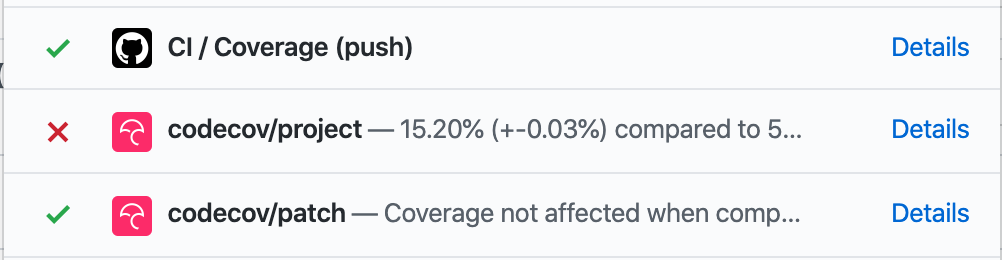
The code coverage report stopped uploading after we switched to GitHub Actions because its not a recognized CI provider.
This PR adds a secret with the code coverage token from [codecov.io](https://codecov.io/gh/zeit/now/settings).
This PR changes the behavior of error reporting and metrics so that developers who build and run Now CLI locally won't accidentally report any metrics. It also prevents errors during CI tests from being reported.
The env vars are only assigned during the publishing step so that the official Now CLI hosted on npm is the only way to report metrics.
* add ruby ActiveSupport test fixture
> ActiveSupport is a Ruby module & a stand-alone component of Rails that includes additional functionality to core Ruby classes, like Array, String & Numeric.
🔗https://guides.rubyonrails.org/active_support_core_extensions.html
* add `Date.current + 10.years` calculation example
This fixes a bug in our `@now/build-utils` tests that pair the current build-utils with a stable builder. Since ncc was bundling `@now/build-utils`, we weren't able to configure a different version and these tests were not actually testing the correct version of build-utils.
A nice side-effect is that each builder will be about 50% smaller (compared by measuring `dist`).
* [now-next] Add Support for Prerender v2
* Copy test suite
* Test that fallback doesn't work for fallback: false
* record omitted lambdas
* Improve test case
* improve omitted routes logic
Co-authored-by: kodiakhq[bot] <49736102+kodiakhq[bot]@users.noreply.github.com>
Some build utilities and SSG Frameworks instruct users to set `NODE_ENV=production` which typically means updating `now.json` to the following:
```json
{
"build": {
"env": {
"NODE_ENV": "production"
}
}
}
```
The problem is that this environment variable is assigned during `npm install` or `yarn install` which is the equivalent of running install with the `--production` flag. This flag prevents `devDependencies` from installing. This is almost never what the user intends so they have to remove `now.json` and instead updating their build script to `NODE_ENV=production yarn build`.
This PR improves the experience by deleting `NODE_ENV` during the install step.
This PR fixes `@now/routing-utils` when the input routes are null. It used to return the empty array but now it will still append.
I also added many more tests to `@now/build-utils` when `featureHandleMiss: true` and refactored the code a bit to make dynamic routes and api routes a little more clear.
This PR refactors the rewrites (the dynamic routes as well as the route that prevents directory listing for zero config deployments) so they are not in the `handle: miss` phase.
This is necessary because the behavior of `handle: miss` will change in an upcoming release.
The solution is to separate these into `rewriteRoutes` that can then be merged properly with the user's routes. They will be appended to the `handle: filesystem` phase (or add the phase if it doesn't exist).
* [now-cli] Remove v1 "static build" integration tests
These are the last remaining v1 static type deployments being created.
* Remove from `integration.js` as well
Co-authored-by: kodiakhq[bot] <49736102+kodiakhq[bot]@users.noreply.github.com>
There was a bug in `now-client` when deploying a directory that ends with a slash, for example `/Users/styfle/Code/myapp/` instead of the usual `/Users/styfle/Code/myapp`.
This never affected `now-cli` until we added support for defining the `rootDirectory` which allows the user to type whatever they wish in the Project Settings.
The fix is to use `path.relative()` instead of substring.
When contributing to this repository, please first discuss the change you wish to make via [GitHub Issue](https://github.com/zeit/now/issues/new) or [Spectrum](https://spectrum.chat/zeit) with the owners of this repository before submitting a Pull Request.
When contributing to this repository, please first discuss the change you wish to make via [GitHub Discussions](https://github.com/zeit/now/discussions/new) with the owners of this repository before submitting a Pull Request.
Please read our [code of conduct](CODE_OF_CONDUCT.md) and follow it in all your interactions with the project.
@@ -6,7 +6,7 @@ This directory is a brief example of a [Name](site-link) site that can be deploy
Deploy your own [Name] project with ZEIT Now.
[](https://zeit.co/new/project?template=https://github.com/zeit/now-examples/tree/master/example-directory)
[](https://zeit.co/import/project?template=https://github.com/zeit/now-examples/tree/master/example-directory)
[](https://spectrum.chat/zeit)
[](https://github.com/zeit/now/discussions)
## Usage
To install the latest version of Now CLI, visit [zeit.co/download](https://zeit.co/download) or run this command:
```
npm i -g now
```
To quickly start a new project, run the following commands:
```
now init # Pick an example project to clone
cd <PROJECT> # Change directory to the newly created project
now # Deploy to the cloud
```
Get started by [Importing a Git Project](https://zeit.co/import) and use `git push` to deploy. Alternatively, you can [install Now CLI](https://zeit.co/download).
## Documentation
For details on how to use Now CLI, check out our [documentation](https://zeit.co/docs).
For details on how to use ZEIT Now, check out our [documentation](https://zeit.co/docs).
## Caught a Bug?
1. [Fork](https://help.github.com/articles/fork-a-repo/) this repository to your own GitHub account and then [clone](https://help.github.com/articles/cloning-a-repository/) it to your local device
2. Install dependencies with `yarn install`
3. Compile the code: `yarn build`
4. Link the package to the global module directory: `yarn link`
4. Link the package to the global module directory: `cd ./packages/now-cli && yarn link`
5. You can now start using `now` anywhere inside the command line
As always, you should use `yarn test-unit` to run the tests and see if your changes have broken anything.
@@ -64,7 +64,7 @@ Contributing to Now Examples should be an enjoyable experience, as such we have
The guidelines cover important information such as the requirements for new examples and where to get help if you have any questions.
We have tried to make contributing to Now Examples as easy as possible, especially for those new to Open Source. If anything is unclear or you have any questions then please reach out to us on [ZEIT Spectrum](https://spectrum.chat/zeit) where we will do our best to help you.
We have tried to make contributing to Now Examples as easy as possible, especially for those new to Open Source. If anything is unclear or you have any questions then please reach out to us on [GitHub Discussions](https://github.com/zeit/now/discussions) where we will do our best to help you.
## Reporting Issues
@@ -80,6 +80,6 @@ Now Examples is an open source project released under the [MIT License](https://
## Get In Touch
If you have any questions that are not covered by raising an issue then please get in touch with us on the [ZEIT Spectrum](https://spectrum.chat/zeit). There you will find both members of the community and staff who are happy to help answer questions on anything ZEIT related.
If you have any questions that are not covered by raising an issue then please get in touch with us on [GitHub Discussions](https://github.com/zeit/now/discussions). There you will find both members of the community and staff who are happy to help answer questions on anything ZEIT related.
[](https://spectrum.chat/zeit)
[](https://github.com/zeit/now/discussions)
Lorem ipsum dolor sit amet, consectetur adipisicing elit, sed do eiusmod tempor incididunt ut labore et dolore magna aliqua.
Ut enim ad minim veniam, quis nostrud exercitation ullamco laboris nisi ut aliquip ex ea commodo consequat. Duis aute irure dolor in reprehenderit in voluptate velit esse cillum dolore eu fugiat nulla pariatur. Excepteur sint occaecat cupidatat non proident, sunt in culpa qui officia deserunt mollit anim id est laborum.
"description":"Creates a custom component class and template (view model and view), placing them in the project source folder (or optionally in sub folders)."
@@ -8,7 +8,7 @@ This directory is a brief example of a [React](https://reactjs.org/) app with [S
Deploy your own React project, along with Serverless Functions, with ZEIT Now.
[](https://zeit.co/new/project?template=https://github.com/zeit/now/tree/master/examples/create-react-app-functions)
[](https://zeit.co/import/project?template=https://github.com/zeit/now/tree/master/examples/create-react-app-functions)
@@ -6,7 +6,7 @@ This directory is a brief example of using a Custom Build script that can be dep
Deploy your own Custom Built project with ZEIT Now.
[](https://zeit.co/new/project?template=https://github.com/zeit/now/tree/master/examples/custom-build)
[](https://zeit.co/import/project?template=https://github.com/zeit/now/tree/master/examples/custom-build)
This directory is a brief example of a [Dojo](https://dojo.io) site that can be deployed with ZEIT Now and zero configuration.
## Deploy Your Own
Deploy your own Dojo project with ZEIT Now.
[](https://zeit.co/import/project?template=https://github.com/zeit/now-examples/tree/master/dojo)
### How We Created This Example
To get started with Dojo on Now, you can use the [Dojo CLI](https://github.com/dojo/cli) to initialize the project:
```shell
$ now init dojo
```
### Deploying From Your Terminal
Once initialized, you can deploy the Dojo example with just a single command:
```shell
$ now
```
Some files were not shown because too many files have changed in this diff
Show More
Reference in New Issue
Block a user
Blocking a user prevents them from interacting with repositories, such as opening or commenting on pull requests or issues. Learn more about blocking a user.